

Email templates
An email template is the text the External email card of a workflow sends to a recipient outside the workspace, for example to ask a vendor for a corrected invoice. You find the templates in the settings under Email templates.
Who manages templates
Section titled “Who manages templates”- To see the page you need the permission Configure the workflow templates, and manage every workflow and the absences of others.
- To add, change and delete a template you need Manage outbound connections. The built-in roles Owner and Admin have it.
- Adding and changing templates is part of the Workflow designer add-on (see Who has the designer).
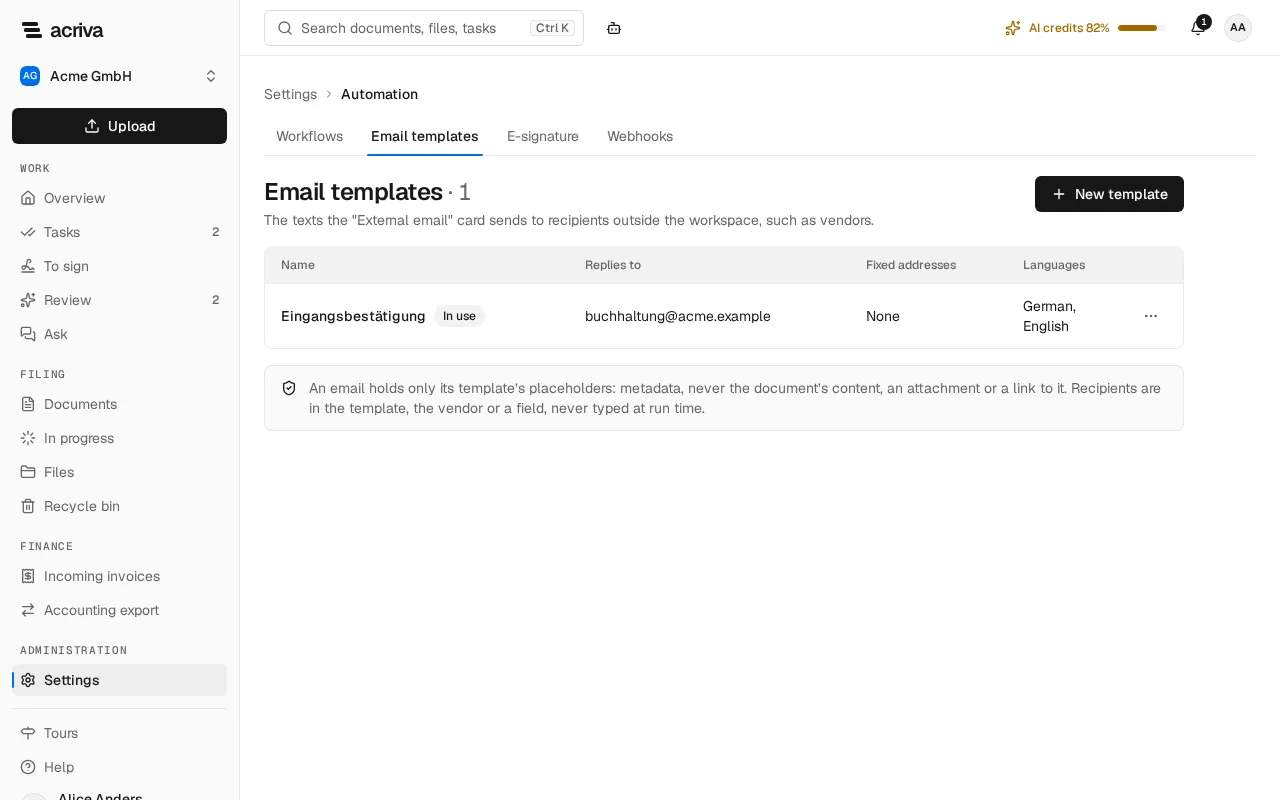
Add a template
Section titled “Add a template”- Select New template.
- Enter the Name, the Subject (German) and the Text (German). German is required.
- Optionally enter the Subject (English) and the Text (English), both or neither. A workflow step can send the template in English only when it has them.
- Enter Replies to: an address of your company. Replies go there, not to Acriva.
- Optionally enter Fixed addresses, at most five, one per line. A step that writes to the template’s fixed addresses sends to them.
- Select Save.
The text is plain text, without links or attachments. It can use these placeholders: {{tenantName}}, the invoice’s {{invoice.number}}, {{invoice.date}}, {{invoice.dueDate}}, {{invoice.grossAmount}}, {{invoice.currency}} and {{invoice.vendorName}}, and {{field.<key>}} for a field of the workflow’s document type. Any other placeholder is refused when you save. The invoice’s placeholders work only in workflows for the document type “Incoming invoice”.
Recipients
Section titled “Recipients”The External email card in the workflow designer chooses the recipient, never a person at run time:
- The vendor’s contact email: the address in the vendor’s master data (Finance master data › Vendors, field Contact email). Acriva never takes it from an invoice.
- A field of the document: a text field of the document type, used only when it holds exactly one valid address. Whoever can edit the field, a person, AI capture from the document or a script, chooses the recipient, so for vendors their contact email is the safer choice.
- The template’s fixed addresses.
When publishing, the workflow lists every step that writes to outside recipients, with the template, the language and the addresses.
What is sent
Section titled “What is sent”Each email holds only the template’s text with its placeholders filled in: metadata, never the document’s content, an attachment or a link to it. It is sent from Acriva’s address with your workspace’s name as the sender, followed by “via Acriva” (in German “über Acriva”), such as “Muster GmbH via Acriva”; a very long name is shortened for it. A step sends nothing, and takes its Skipped exit with the reason in the workflow’s history, when there is no valid address, when the address comes from a field no person set or confirmed and the card doesn’t have Allow recipients from AI fields, when the document is confidential and the card doesn’t allow it, when the workflow already ran 20 External email steps on the document, when the workspace sent 100 external emails in the last 24 hours, or while the workspace is on the trial: a trial workspace sends no external email, and a paid plan sends again at once. Every email that was sent, or that was queued and then not sent, is in the audit log of the document.