

Archive and compliance
Acriva keeps every document for as long as the retention rule of its document type asks, and deletes it afterwards only when two people have agreed. This page covers the retention rules, the legal holds, the deletion proposals and the deletion records. They are all on the page Retention.
Related pages:
- Verfahrensdokumentation: the description of your procedure as a PDF.
- Tax audit: a time-limited read access for a tax auditor.
- Audit log: who did what, and the check that nothing was changed.
- Recycle bin: deleting documents that are under no retention rule.
How Acriva keeps a document
Section titled “How Acriva keeps a document”- Every version you upload is stored unchanged. A new version is added beside the earlier ones and never replaces one.
- The storage itself locks each stored version against deletion: for 30 days from the upload, and to the end of the retention period once the document has one. While a lock runs, the storage refuses to delete the version, whoever asks for it in Acriva.
- A document under a retention rule can’t be moved to the recycle bin. It leaves Acriva only through a deletion proposal that two people have released and confirmed.
- Every upload, view, download, change and deletion is in the audit log.
The page Retention
Section titled “The page Retention”You find Retention in the Settings, in the category Documents & filing. You see it with the permission See retention rules, legal holds, deletion runs and the Verfahrensdokumentation. Of the built-in roles, Owner and Admin have it, and they also hold the two permissions below. Member and Approver have none of them.
| To do this | You need the permission |
|---|---|
| Change a retention rule, create and lift a legal hold | Change retention rules, set and lift legal holds, and generate the Verfahrensdokumentation |
| See, postpone and release deletion proposals, and confirm a deletion | See and postpone deletion proposals, release deletions and confirm another person’s release |
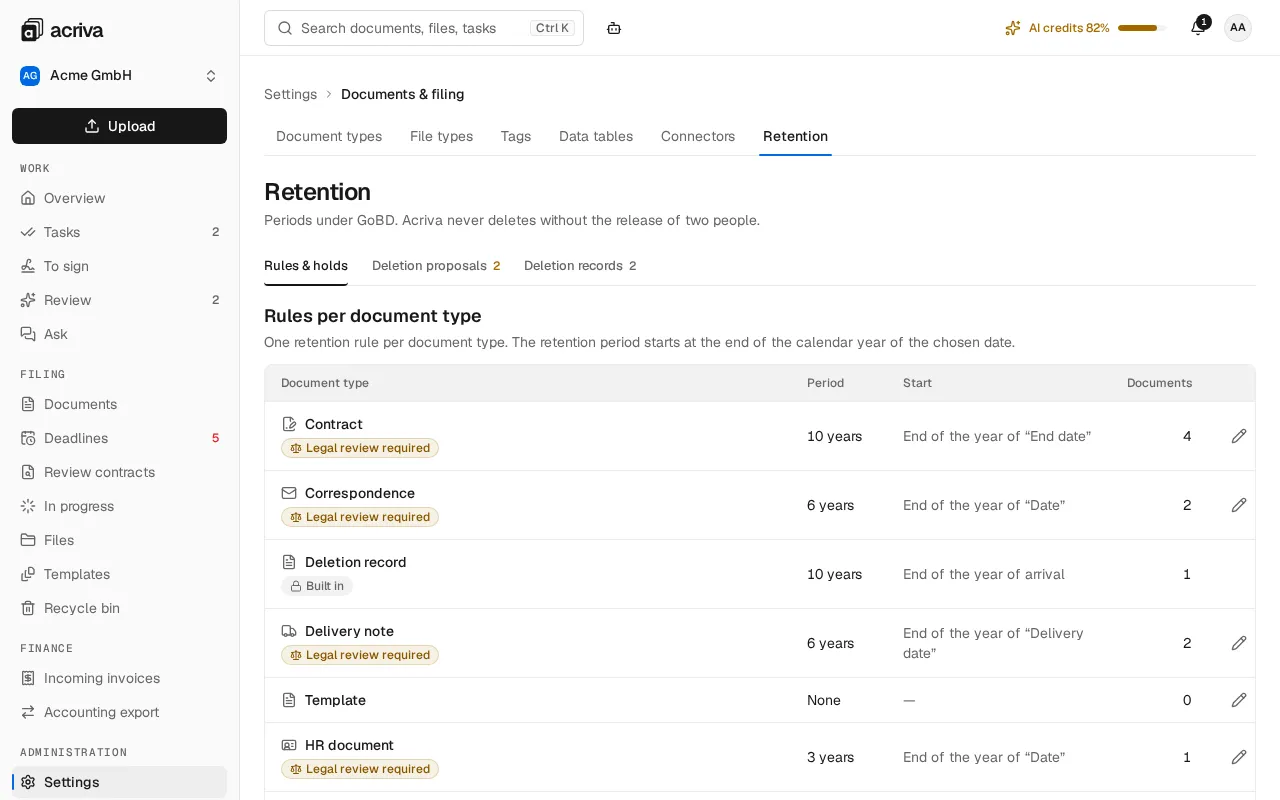
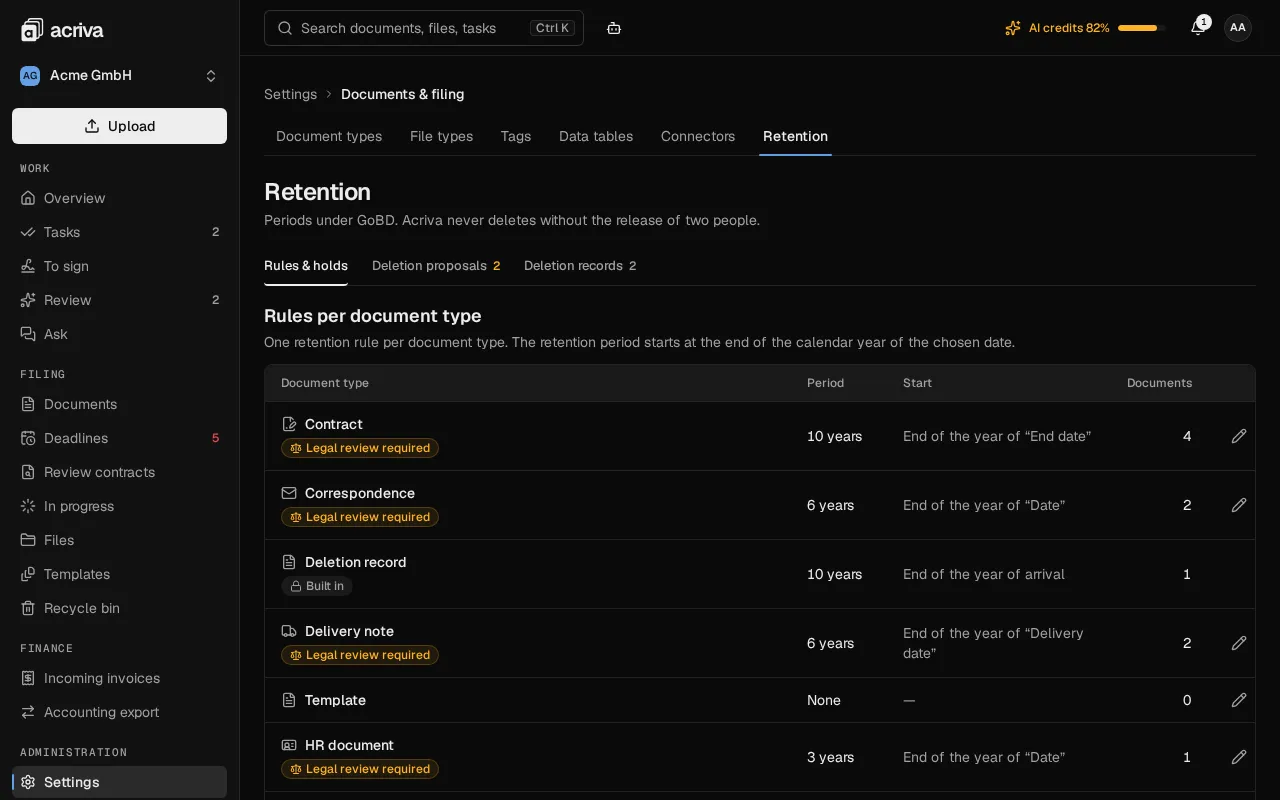
The page has three tabs: Rules & holds, Deletion proposals and Deletion records. The tab Deletion proposals shows how many proposals wait.
Retention rules
Section titled “Retention rules”The tab Rules & holds starts with Rules per document type. Every active document type has one row:
| Column | Content |
|---|---|
| Document type | The type. A rule that Acriva set as a default carries the mark Legal review required. |
| Period | A whole number of years from 1 to 10, or None. |
| Legal basis | A free text, for example “§ 147 AO, § 257 HGB”. Acriva doesn’t check it. The column shows once a rule names a legal basis. |
| Start | The date the period counts from: End of the year of arrival, or End of the year of a date field. |
| Documents | How many documents are under the rule. |
A type with the period None has no retention period: its documents can go to the recycle bin.
The rules a new workspace starts with
Section titled “The rules a new workspace starts with”| Document type | Period | Start |
|---|---|---|
| Incoming invoice, Outgoing invoice | 8 years | End of the year of “Invoice date” |
| Delivery note | 6 years | End of the year of “Delivery date” |
| Correspondence | 6 years | End of the year of “Date” |
| Contract | 10 years | End of the year of “End date” |
| HR document | 3 years | End of the year of “Date” |
| Quote, Order, Other | None |
Each of these rules with a period is marked Legal review required until someone saves it. Quote, Order and Other get no rule. They are a starting point, not a statement about what the law asks of your company. A document type you create yourself starts with the period None.
How a period is counted
Section titled “How a period is counted”A period starts at the end of the calendar year of its date and ends that many years later, on December 31. An invoice with the invoice date March 14, 2026 and a period of 8 years is kept until December 31, 2034. The day of arrival and the end of a period count in German time.
- The date is missing. When the rule starts from a date field and the document has no value there, the period has no end yet. The document is kept and never proposed for deletion until the date is entered.
- A type that AI applied. A document type that AI recognized starts a period only once a person has confirmed it in the review queue. A type that a person set, or that comes from a valid e-invoice, starts it at once.
- A changed type. A document keeps the period a rule gave it when you later change its type to one without a period. Only a change of the rule itself takes the period away.
Where a document shows its period:
- At the bottom of the pane on the right of an open document, for example Retained until Dec 31, 2034 (see Open a document).
- In the list Documents, the filter Retention finds the documents whose period is running, has ended or has no end yet.
Change a rule
Section titled “Change a rule”- Open Settings, select Retention and stay on the tab Rules & holds.
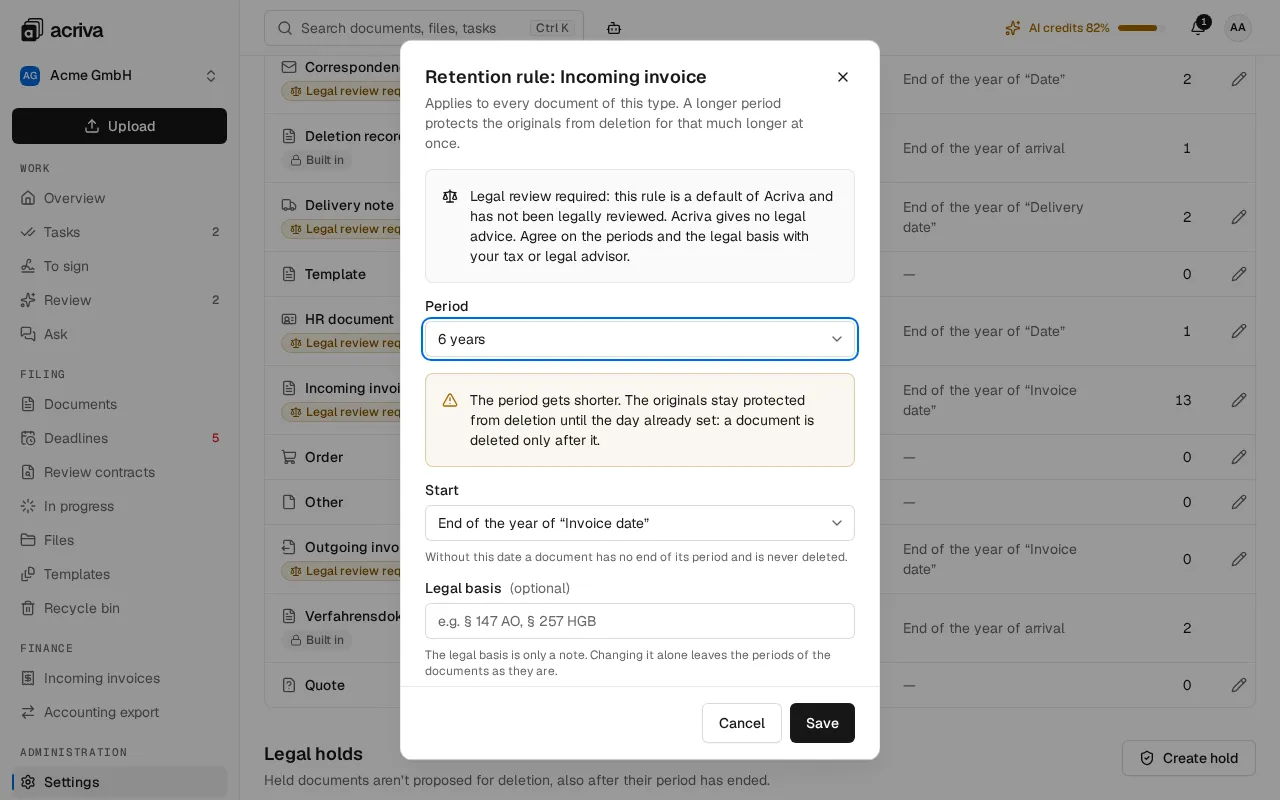
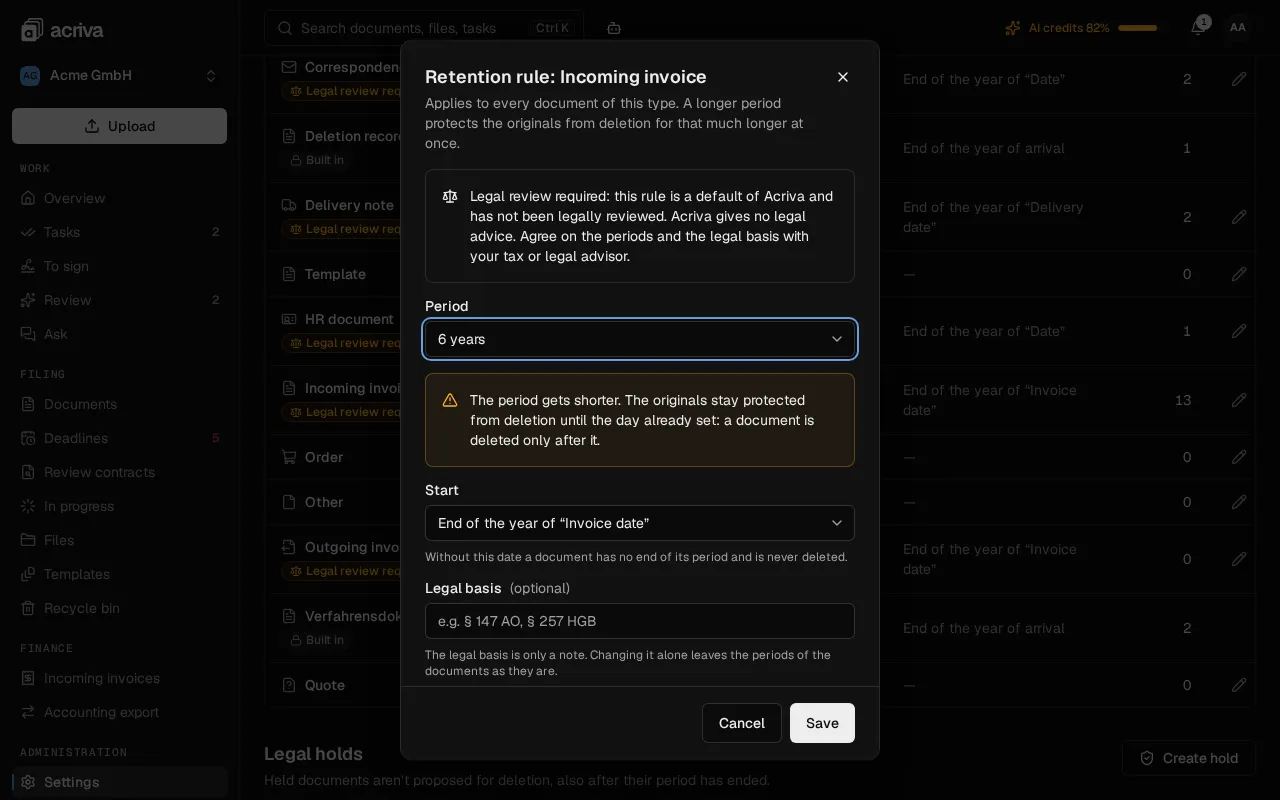
- Select the pencil at the end of the row. The dialog Retention rule: … opens.
- Choose the Period and the Start. The start offers End of the year of arrival and every date field of the document type. Under the field it says: Without this date a document has no end of its period and is never deleted.
- Enter the Legal basis if you want to record one, in at most 200 characters. It is only a note: changing it alone leaves the periods of the documents as they are, while a changed period, start or personal-data mark applies to every document of the type.
- Tick Contains personal data when the documents of this type name people, such as HR documents. The deletion record then names only the ID and the document type of such a document, and no title.
- Select Save. Acriva confirms with Retention rule for “…” saved, and the mark Legal review required is gone.
A rule applies to every document of its type, also to those that are already there. When you change the period, the start or the date field, Acriva computes the periods of these documents again in the background.
- A longer period protects the originals for that much longer at once.
- A shorter period ends the retention earlier, but the locks already set in the storage stay. Before you save, the dialog says: The period gets shorter. The originals stay protected from deletion until the day already set: a document is deleted only after it. A document whose shorter period has ended is proposed for deletion, but while the storage lock holds, a deletion leaves it out as not deleted. It then becomes a deletion proposal again and needs a new release and confirmation after the day the lock ends.
- The period None releases the documents of the type from retention. Their storage locks stay until the day already set.
When someone else saved the rule while you had the dialog open, Acriva doesn’t save your change and says: The retention rule was changed in the meantime. The list has been reloaded; open the rule again.
The built-in types
Section titled “The built-in types”The two built-in document types Deletion record and Verfahrensdokumentation are marked Built in. Their rule is fixed and can’t be changed: Acriva keeps its own records for 10 years from the end of the year in which they were written.
Legal holds
Section titled “Legal holds”A legal hold keeps documents from being deleted, whatever their retention period says, for example during a tax audit or a lawsuit. The section Legal holds on the tab Rules & holds lists the holds that stand, each with its name, the day it was created, who created it, its reason and what it covers. With Active and Lifted above the list you choose whether it shows the standing or the lifted holds.
What a hold does
Section titled “What a hold does”- A held document is never proposed for deletion, also after its retention period has ended.
- A held document can’t be moved to the recycle bin. When a hold comes to cover a document that is already in the recycle bin, the document goes back to its place.
- A hold on an Akte covers every document in it, also those filed there later. While the hold stands, no document can be taken out of the Akte: The file is under the legal hold “…”. A document can’t be taken out of it while the hold stands.
- When a hold covers a document of a deletion that was released but not yet confirmed, the document drops out of that deletion.
- A held document shows the badge Retention locked and, at the bottom of the pane on the right, Legal hold: won’t be deleted.
A hold doesn’t change who may read a document.
Create a hold on Akten
Section titled “Create a hold on Akten”- On the tab Rules & holds, select Create hold.
- Enter a Name, for example “Tax audit 2023–2025”, in at most 200 characters, and a Reason in at most 1,000 characters.
- Under Files, select Add file and choose at least one Akte. The hold applies to every document in the file, also to those filed later.
- Select Create hold. Acriva confirms with Hold “…” created.
When a deletion is already removing some of the documents at that moment, the hold can’t take them any more, and the message says how many: … documents are already being deleted and are not held.
Hold a single document
Section titled “Hold a single document”Open the document, select More actions (⋯) and then Place legal hold. You create a new hold for the document or add it to a standing one (see Open a document).
Lift a hold
Section titled “Lift a hold”- Select Lift in the row of the hold.
- Enter the Reason for lifting.
- Confirm with Lift. Acriva confirms with Hold “…” lifted.
The hold leaves the list of active holds. Its documents can be deleted again once their retention period has ended, unless another hold still covers them. As the dialog says, the audit log records who lifted the hold and when, and Acriva saves the reason with the hold. Under Lifted the hold stays with the badge Lifted; its row names the day it was lifted, the person and the reason (Lifted on …). A lifted hold can’t be lifted again. When there is none yet, it says No lifted holds.
A hold that a tax auditor access created is in the same list and is lifted the same way. While Acriva still adds its documents, the row says still being filled.
Deletion proposals
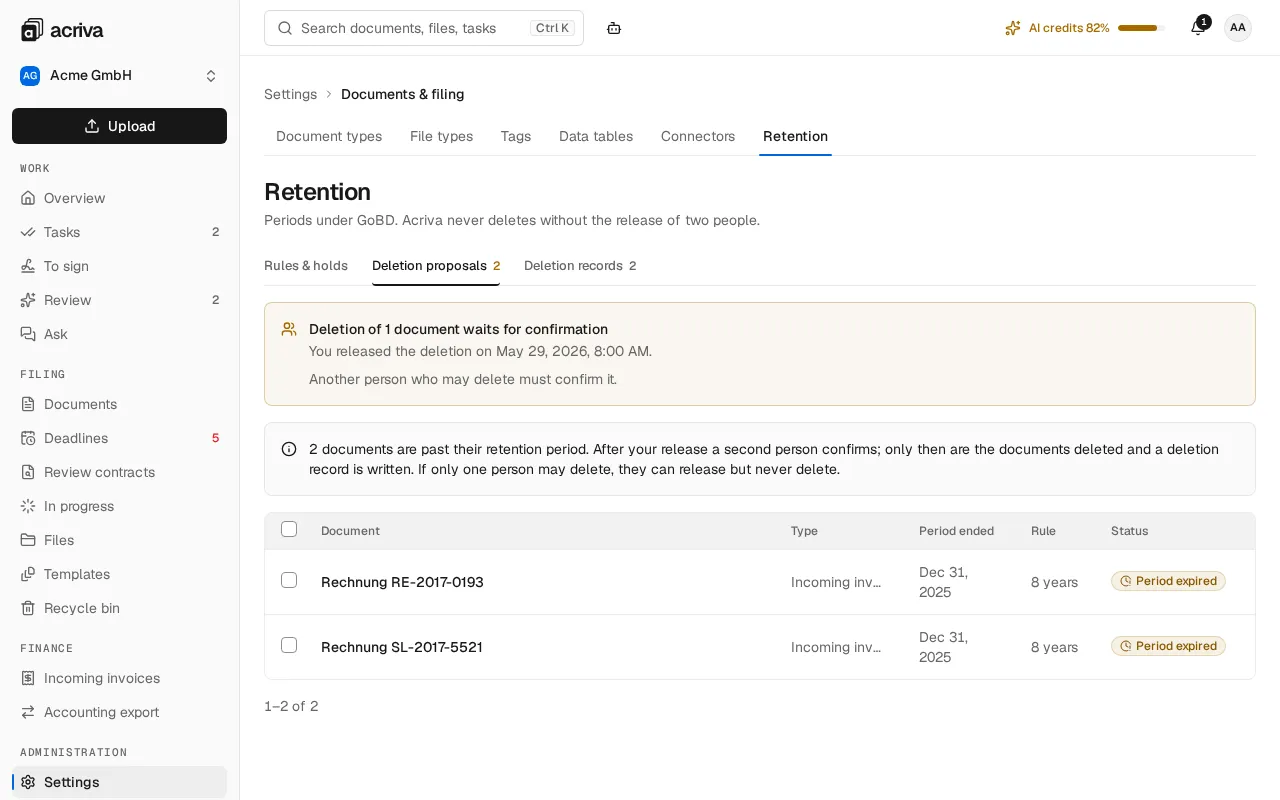
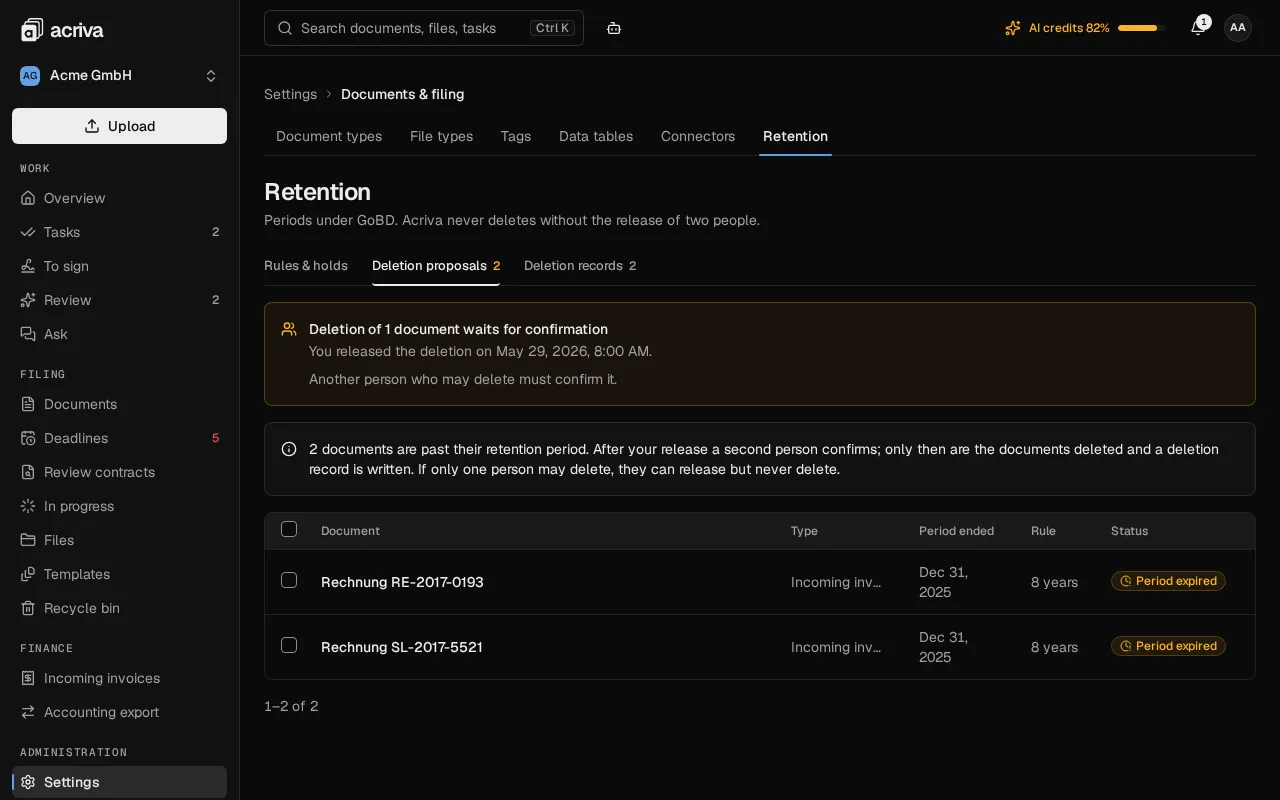
Section titled “Deletion proposals”Once the retention period of a document has ended, Acriva proposes it for deletion. Nothing is deleted without two people: one releases the deletion and another confirms it.
The tab Deletion proposals needs the permission See and postpone deletion proposals, release deletions and confirm another person’s release. Without it the tab says Only people who may delete see deletion proposals.
A document becomes a proposal on the day after its retention period ended. Acriva looks for new proposals once a night, so a document can appear up to a day later. It is no proposal while a legal hold covers it, while it is postponed, or while it is part of a release.
The list shows the oldest end first, with Document, Type, Period ended, Rule and Status. The title opens the document, so you can look at it before you decide.
Proposals you can’t read
Section titled “Proposals you can’t read”You see a proposal only when you may read its document. When there are more, the line below the list says how many: … more deletion proposals concern documents you may not read. Someone who may read those documents has to release them. Owner and Admin read every document type unless your workspace changed their access, but a confidential document is read only by the people on its confidential list.
Large numbers
Section titled “Large numbers”Acriva counts up to 10,000 proposals, those you may read and those you may not together. Above that, both numbers are lower bounds: the page says More than 10,000 or At least …, the tab shows a number with a plus sign such as 10,000+, and the line below the list reads “1–50 of more than …”. Acriva also marks at most 10,000 new proposals per night, so with more documents due, the rest follows in the next nights. The list itself still shows every proposal: Load more goes on.
Postpone a proposal
Section titled “Postpone a proposal”When a document should stay for now, postpone it.
- Tick the proposals.
- Select Postpone by 1 year. For more than 20 proposals, Acriva asks first.
The documents come back as proposals after one year. You can postpone again, as often as you like. Each postponement is in the audit log with the person and the time.
Release a deletion
Section titled “Release a deletion”- Tick the proposals you want to delete. The checkbox in the table header selects all that are listed. A release takes at most 1,000 proposals.
- Select Release deletion.
- Read the question Release the deletion of … documents? and confirm with Release deletion. Acriva says Deletion of … documents released and A second person must confirm the deletion.
Nothing is deleted yet, and the documents stay as they are. They leave the list of proposals and wait in the release. Above the list, a notice says Deletion of … documents waits for confirmation, with who released it and when.
Confirm a deletion
Section titled “Confirm a deletion”A second person with the same permission opens the tab Deletion proposals.
- In the notice Deletion of … documents waits for confirmation, select Confirm deletion.
- Read the question. It says: The documents are deleted for good, with all their versions. This can’t be undone. A deletion record keeps what was deleted.
- Confirm with Confirm deletion.
The person who released the deletion can’t confirm it. They see Another person who may delete must confirm it. in place of the button, and an attempt answers: The person who released the deletion can’t confirm it. A second person must confirm.
At the confirmation, Acriva checks every document of the release once more. A document drops out when, since the release,
- a legal hold came to cover it,
- its retention rule or its period changed, or
- the confirming person may not read it.
The message after the confirmation says how many dropped out: … deletion proposals changed since the release and are not part of the deletion. and … documents that you may not read stay deletion proposals. When none is left, it says Nothing is deleted: no document of the release is part of the deletion any more.
The deletion
Section titled “The deletion”A confirmed deletion runs in the background. Most deletions end within seconds, and the page shows the result without a reload.
What a deletion removes:
- every version of the document and every copy Acriva made of it, such as the PDF/A copy,
- the document itself with its metadata, its tags and its place in Akten,
- its entry in the search, its recognized text and what AI recognized,
- its workflows with their tasks and comments, its notifications, and its invoice with the allocation,
- its signature requests with their signers, signature fields, links, confirmation codes and invitation emails (Signatures on a document).
What stays:
- The deletion record.
- The entries about the document in the audit log. The chain of entries can’t lose one, so the entries stay, and Acriva erases the text in them that named the document. Such an entry reads Text erased.
- The lines of an earlier DATEV export that held the document. The booking batch was handed over and is an accounting record of its own.
Documents that are not deleted
Section titled “Documents that are not deleted”A deletion can leave a document out. The tab Deletion records then counts it as not deleted, and the deletion ends as Completed with exceptions. Acriva doesn’t delete a document when
- the storage still locks it. Every version is locked for 30 days from its upload, so a document that got a new version less than 30 days ago can’t be deleted yet. A lock from a retention period that was shortened later runs to the day that was set first.
- a legal hold covers it, also one that was placed after the confirmation.
- its retention rule or its period changed after the release.
- it is in use: someone has checked it out, it is still being processed, or a workflow on it is still open.
Nothing is lost in these cases: the document stays as it was and is a deletion proposal again, unless a legal hold covers it. When what stood against the deletion is still there, a new release leaves it out again. The record doesn’t say why a document was not deleted. While a deletion removes a document, nobody can open or change it.
Deletion records
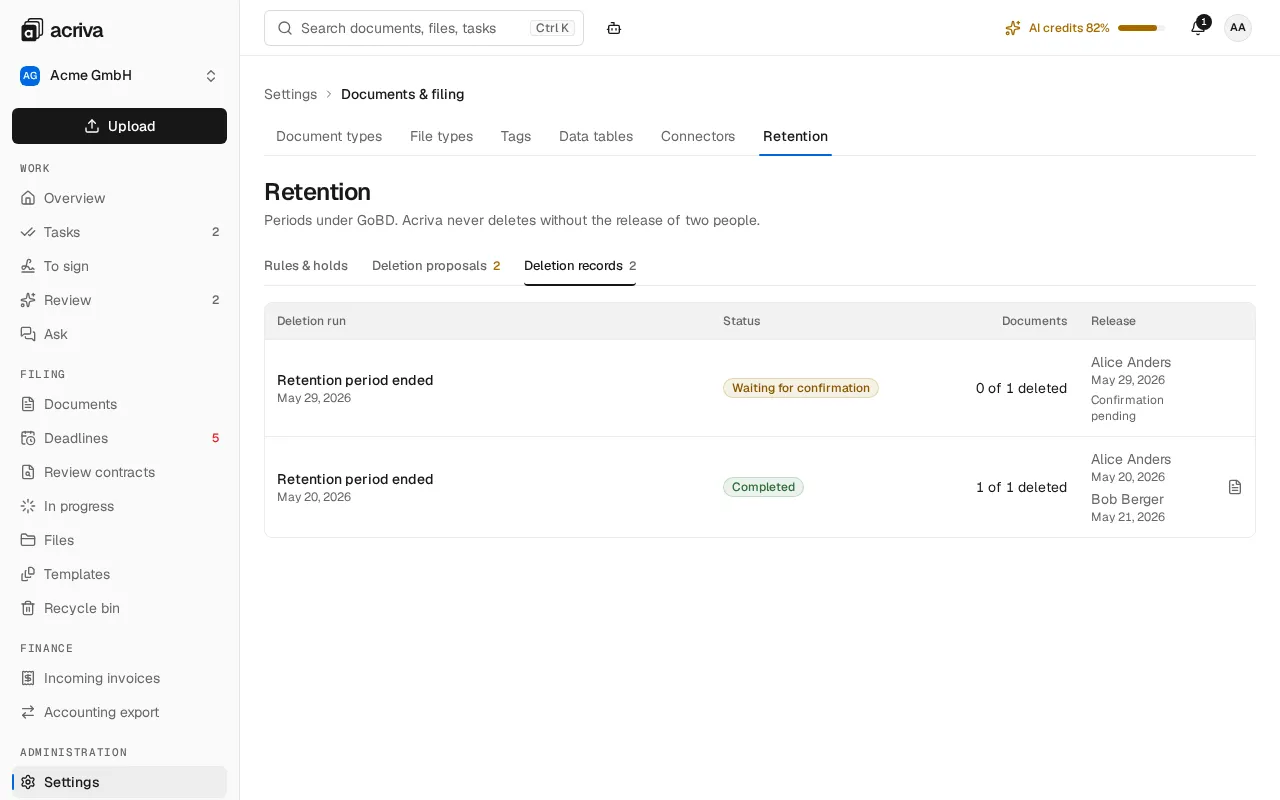
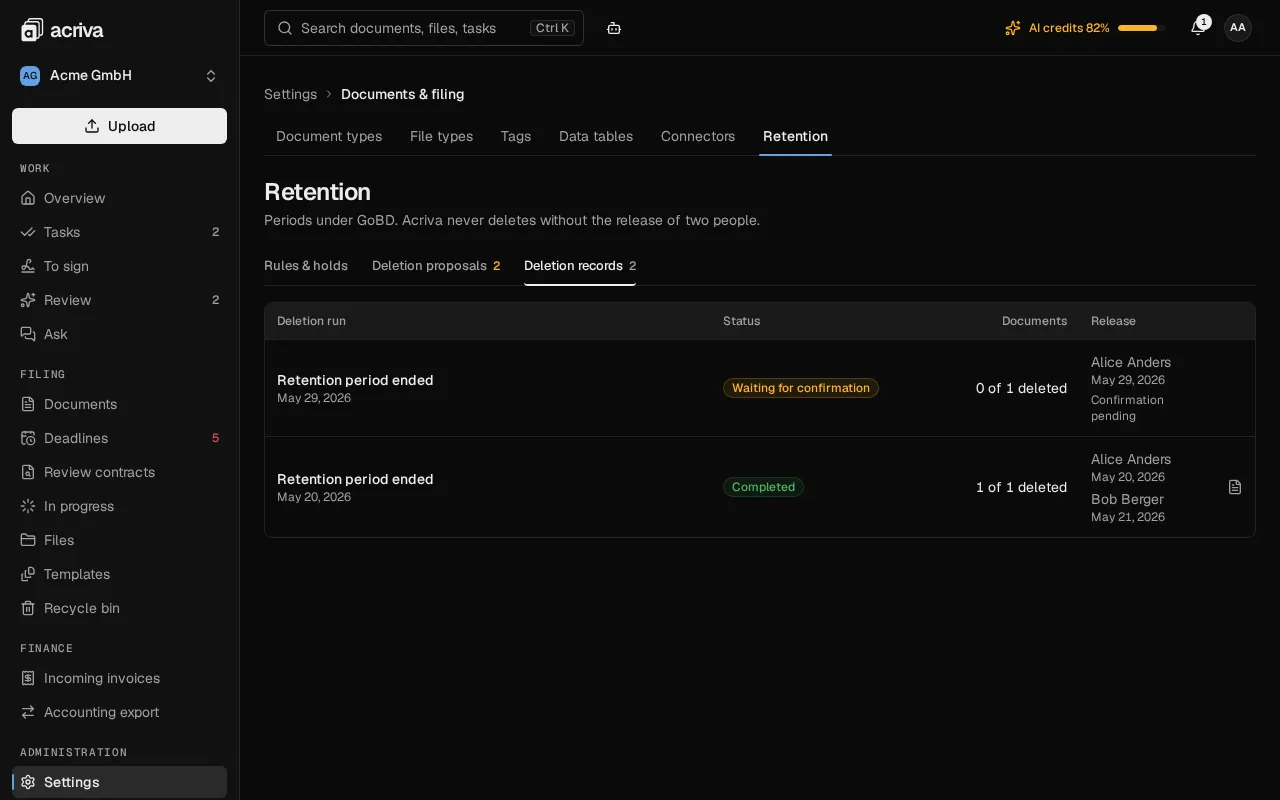
Section titled “Deletion records”The tab Deletion records lists every deletion, newest first:
| Column | Content |
|---|---|
| Deletion run | What started it and when: Retention period ended, Recycle bin, Recycle bin emptied or Quarantine. |
| Status | Waiting for confirmation, Confirmed, Running, Completed or Completed with exceptions. |
| Documents | For example 12 of 14 deleted, and below it 2 not deleted. |
| Release | For a deletion of proposals, who released and who confirmed it, or Confirmation pending. A deletion from the recycle bin or the quarantine needs no second person: it shows the person who emptied the bin, or System for the nightly deletion. |
The list holds the deletions from the recycle bin and the quarantine too, so every document that Acriva deleted for good is in a record.
The deletion record
Section titled “The deletion record”Every deletion that two people confirmed, and every deletion from the recycle bin or the quarantine, files a deletion record: a PDF in the default language of your workspace that Acriva stores as a document of the built-in type Deletion record. Select the icon at the end of the row to open it. There you view and download it like any document.
The record holds
- the deletion run, what started it, and how many documents were deleted and not deleted,
- who released and who confirmed, each as the person’s ID in Acriva with the time in UTC,
- for every deleted document: its ID, the key of its document type (such as
incoming-invoice), its title, every version with its number, its SHA-256 checksum and its size, the day the retention period ended with the years of the rule, and whether the document was in a DATEV export, - for every document that was not deleted: its ID and not deleted, and nothing else,
- the same content once more as JSON, for reading by a program.
In place of the title, the record says “(left out: confidential or personal data)” for a confidential document and for a document type whose rule is marked Contains personal data. A record of a deletion from the recycle bin or the quarantine names no titles at all.
Who can open a record: only people with the role Owner or Admin. Everyone else who sees the tab reads the counts and the note Only people with the role “Owner” or “Admin” can open a deletion record. A grant on a document type or an Akte doesn’t open a record either.
A deletion record can’t be changed, and it is kept for 10 years from the end of the year in which it was written.